TABLE OF CONTENTS
Stack Internal Community's API v3 opens up your Stack Internal Community site to external integrations, allowing you to access your data, change content on your site, build reports, and much more.
You can access API v3 at https://[your_site].stackenterprise.co/api/v3 (replace [your_site] with your Enterprise site's subdomain). There you'll find a complete list of all API endpoints. This URL is also the base URL for all API v3 calls.
In this quickstart, you'll create a simple read-only API token. You'll then use that token to retrieve data from API v3 with the free Postman online tool or cURL.
Register an API application
Start by creating and registering a new API application on your Stack Internal Community site. This generates a unique API key and grants that key access to the API.
To register a new API application:
-
Log into your Stack Internal Community site.
-
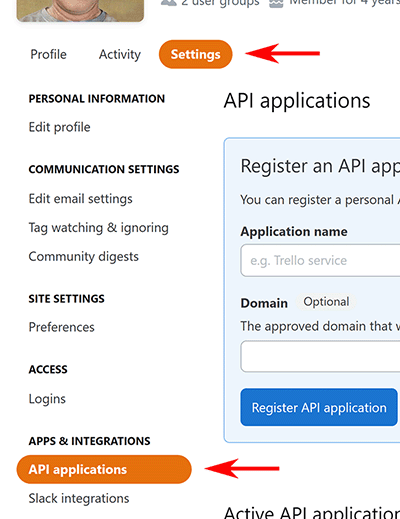
Click on your avatar (profile picture) in the top navigation bar.
-
Click Settings.
-
Click API applications under the "APPS & INTEGRATIONS" heading.
-
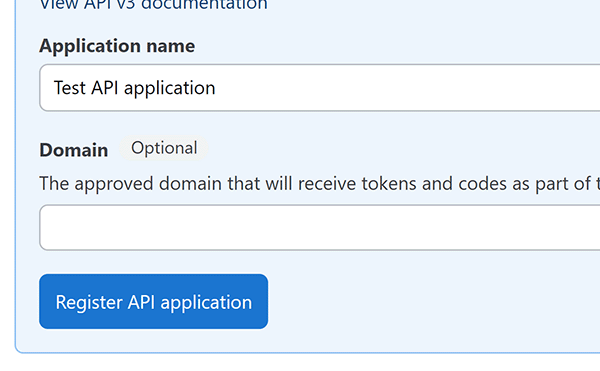
Enter a name for your API application in the Application name field.
-
Leave Domain blank.
-
Click Register API application.
-
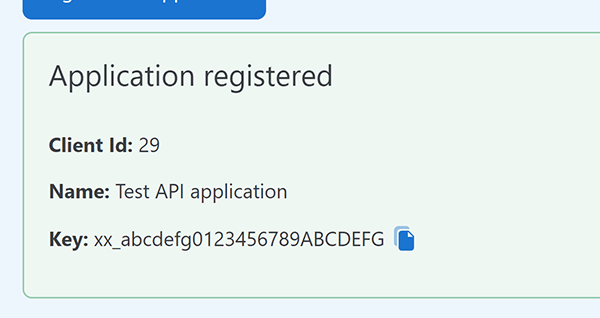
Copy the Key value. This is your API access key. Copy it for use later.
Use Postman to access the API
-
Go to https://www.postman.com and sign in. If you don't already have an account and workspace, sign up and create them.
-
Add a new request.
-
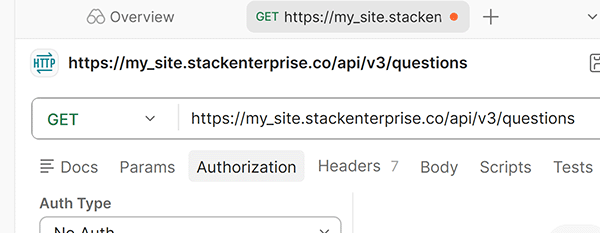
Ensure that the request type is GET.
-
To get question data from your Enterprise site, enter this endpoint URL: https://[your_site].stackenterprise.co/api/v3/questions.
-
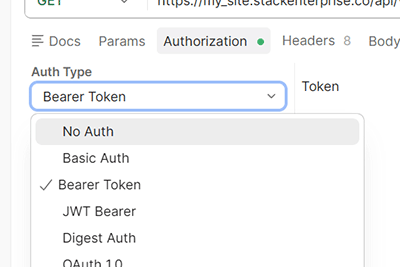
On the "Authorization" tab for your new request, set Auth Type to Bearer Token.
-
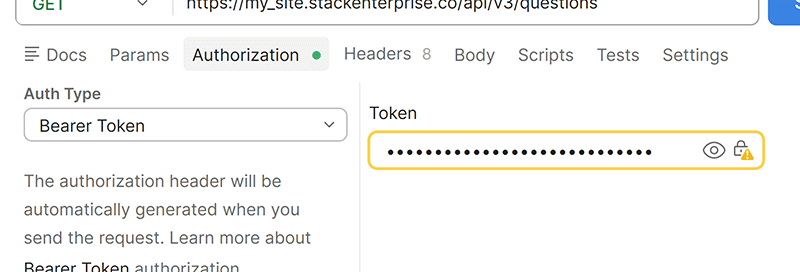
Paste your new Stack Internal API key into the Token field.
-
Optional: click Save if you want to return to this request in the future.
-
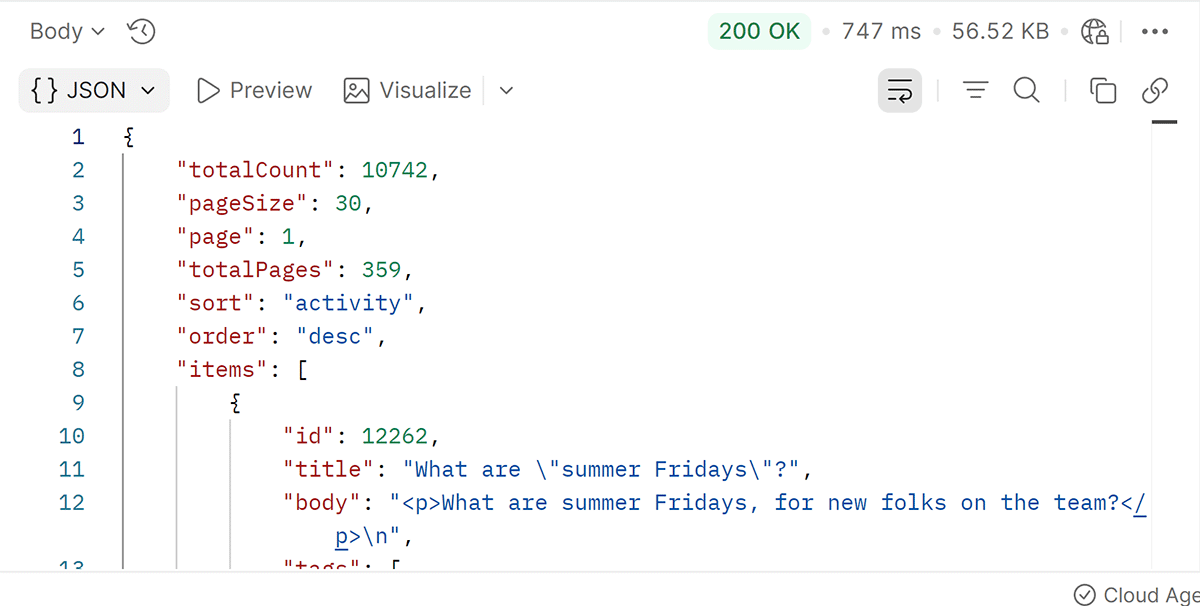
Click Send to make the request.
You should see a list of questions from your Stack Internal Community site.
Use cURL to access the API
You can use your API token to access Stack Internal Community API v3 with cURL. As with the Postman example above, this example queries your API endpoint for question data. The cURL command below is broken onto multiple lines for clarity.
curl -X GET "https://[your_site].stackenterprise.co/api/v3/questions" \
  -H "Authorization: Bearer YOUR_API_TOKEN" \
  -H "Accept: application/json"
Swagger UI API documentation
Your Enterprise site has interactive API documentation using Swagger UI. This documentation gives you information on all the API v3 endpoints, and also lets you make test calls to each endpoint. You can access your site's Swagger UI API interface at https://[your_site].stackenterprise.co/api/v3 (replace [your_site] with your site's subdomain).
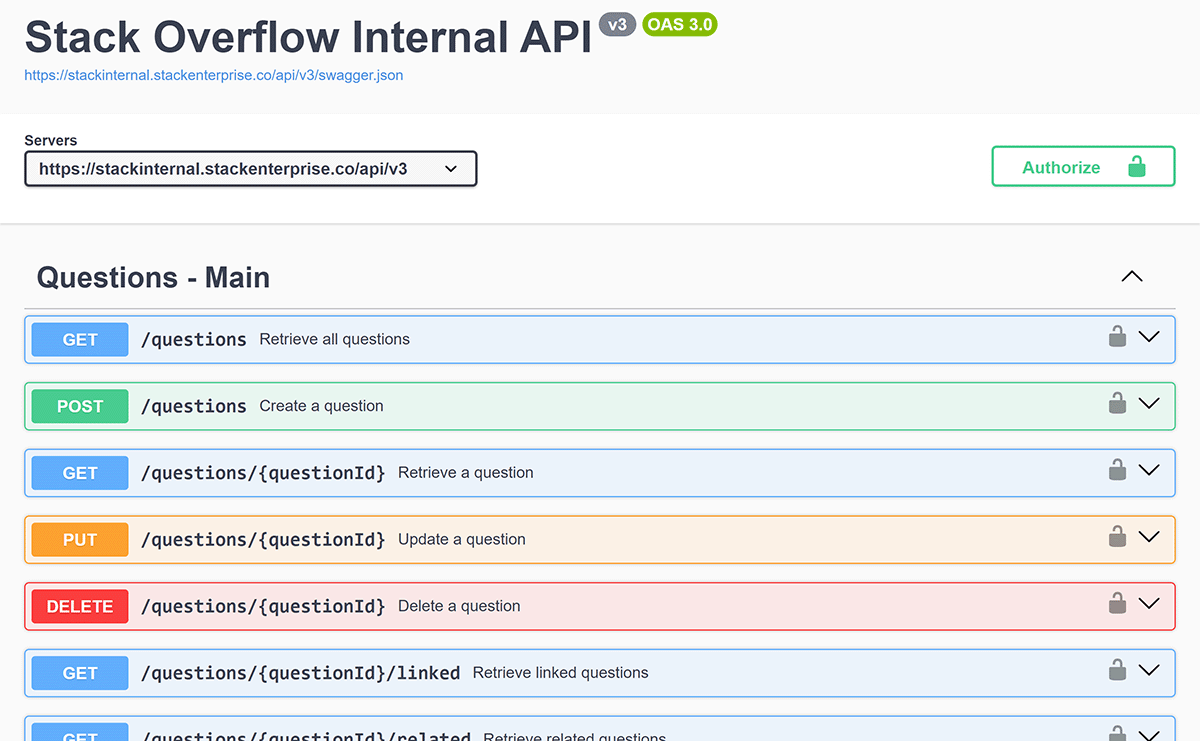
For more information on API v3 and the Swagger UI interactive documentation, read the Stack Internal Community API v3 article.