TABLE OF CONTENTS
Overview
Stack Internal Community is available in four different plans: Free, Basic, Business, and Enterprise. The plans differ in the capabilities and features they offer, and you may find it helpful to know which plan (version, tier, product) your site uses.
Stack Internal Community Free, Basic, and Business offer increasing capabilities across three plans, and set per-seat pricing. Stack Internal Community Enterprise offers upgraded features and more customization for larger companies, and uses a custom pricing model.
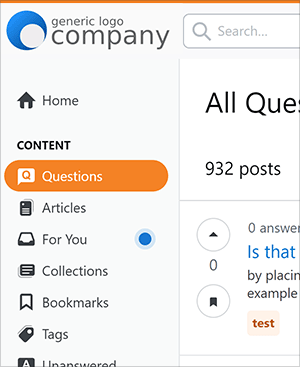
To find out which of these two larger product types your site uses, look in the upper-left corner of your screen. If you see the Stack Overflow logo and your site name at the top of the left column, you'll know your site is Stack Internal Community Free, Basic, or Business. If you don't see these elements, you have a Stack Internal Community Enterprise site.
You can also look at your site's URL. If the URL starts with https://stackoverflowforteams.com, your site is Stack Internal Community Free, Basic, or Business (not Stack Internal Community Enterprise).
Stack Internal Community Free, Basic, and Business
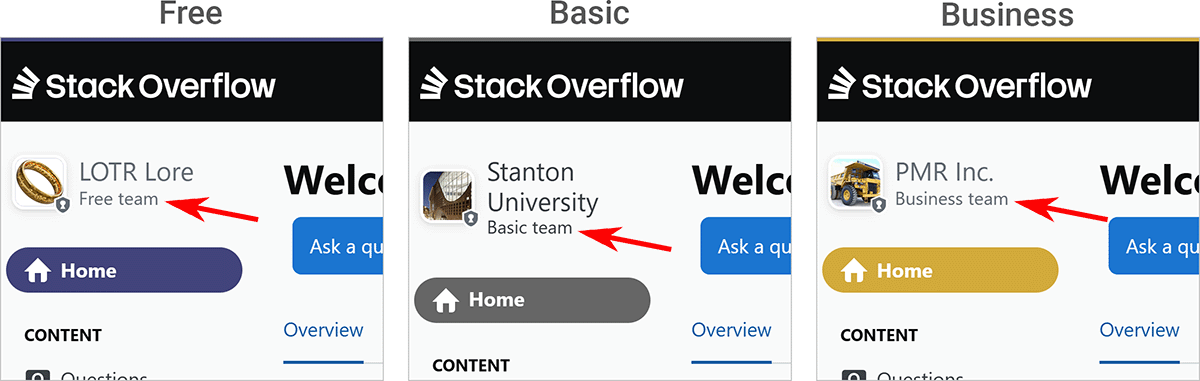
To tell whether your site is Stack Internal Community Free, Basic, or Business, look at the top of the left-hand menu. Under your site graphic and company name, you'll see "Free team", "Basic team", or "Business team".
Stack Internal Community Enterprise
Stack Internal Community Enterprise offers more customization options, including the ability to upload a logo and change the site's color scheme. If you see your company's logo in the upper-left corner of the page, you'll know you're on a Stack Internal Community Enterprise site. Stack Internal Community Enterprise sites will not show the Stack Overflow logo.